
Team Remote Debugger ® 2001 - Hands-on samples
Note: Please also review the Programmers Guide and Programmers FAQ
Samples included in Team Remote Debugger package:
1. Simple VB Sample
2. Test Stand - VB Sample
3. MTS/COM+ DLL Sample with Test EXE
4. ASP Sample
5. T-SQL Sample
6. Visual C++ 6.0 sample 
Note: More sample code to come - watch this space.
Download all samples here, also note that they are included in the retail package in \Samples folder. You are also welcome to send your particular case and we will help you integrate Team Remote Debugger with your project!
Some of the samples are shown below, they are quite simple and easy to use, just like Team Remote Debugger, yet they are very powerful at the same time:
Visual Basic Sample #1
A simple program with one button that calls one function demonstrates the principle features of Team Remote Debugger.
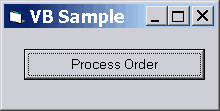
You may copy/paste the Process_Order subroutine and put it into any MTS component, Activex DLL, EXE wherever they are and whenever you will call the method you will get the result you expect. An MTS sample is also included in the package.
Note: The source code given here uses the Team Remote Debugger components, so to run it you should use this sample included in the Retail package under \Samples folder.
To download only this sample click here.
| Public Sub Process_Order(order_id
As Integer) ' declaring the Team Remote Debugger Server component C_Debug Dim odeb As C_Debug ' declaring return value Dim ret As Variant '1. Creating the Team Remote Debugger Server component C_Debug always locally Set odeb = CreateObject("SplineTechDebug.C_Debug") '2. openning the debug session ret = odeb.Open_Session("MySession") '3. waiting for Team Remote Debugger Client to connect to the server ' and open the session for 30 seconds ret = odeb.Wait_For_Connection(30) ' ... ' ... Doing whatever your code should be doing ... ' ... '4. Let's say you need to see the value of order_id passed Call odeb.Writeln("order_id = " & order_id) ' ... '5. Let's say you need to see the ret value Call odeb.Writeln("ret = " & ret) '6. Ask yourself Call odeb.Writeln("Do you want to proceed with order?") '7. Pass dialog with "yes" "no" buttons and wait for the answer for 10 seconds ret = odeb.wait_for_option("yes,no", 10) '8. Check the dialog answer If CStr(ret) = "yes" Then '8-> the answer is "yes" '9. update the order Call odeb.Writeln("Order Updated") Else '^8 '8 -> the answer is not "yes" '10. do not update the order Call odeb.Writeln("Order is not updated") End If '#7 '11. Now you may ask yourself another order_id for 10 seconds Call odeb.Writeln("Enter new order id") ret = odeb.Wait_For_Value(order_id, 10) End Sub '# Process_Order Private Sub btn_process_order_Click() Call Process_Order(1001) End Sub |
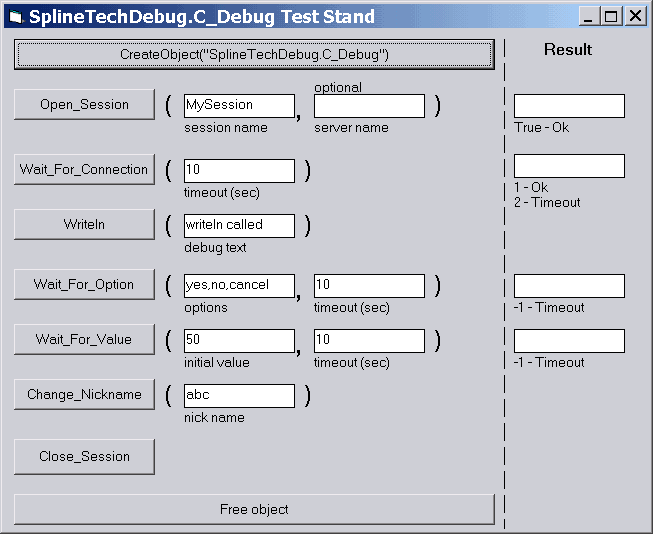
Visual Basic Sample #2: Server Test Stand
The Server Test Stand source code is included in the Team Remote Debugger retail package.
To ask questions or to send comments please feel free to use this form
Copyright (C) 2000-2003 Spline Technologies Corp.
All rights reserved.
All trademarks mentioned are
property of their respective owners.